

Find stands, rooms and services. Search for an exhibitor or a stand number and get directions from the entrance, registration or wherever you are.
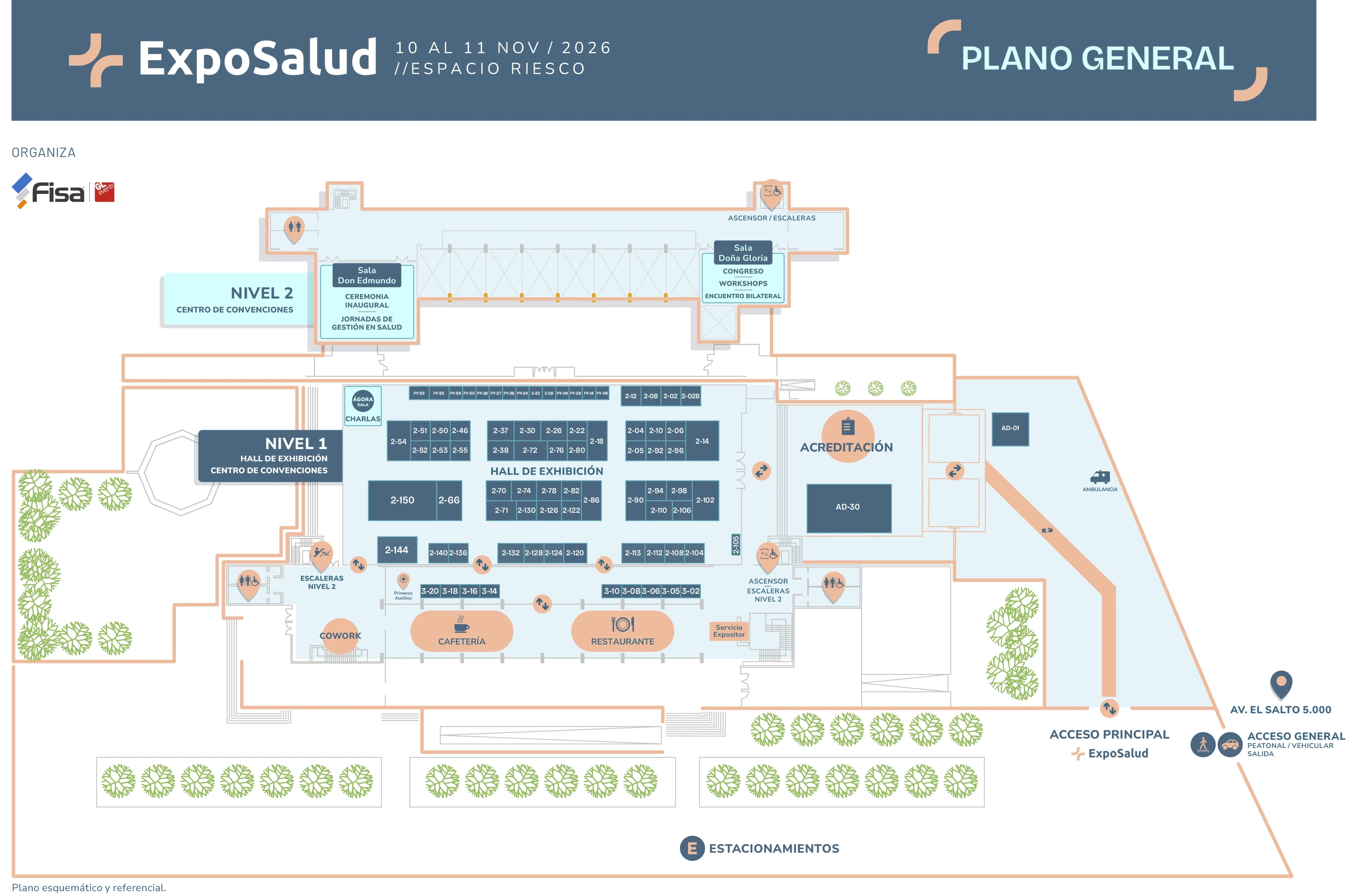
Drag to move · Ctrl + wheel or double-click to zoom · Click a stand, choose "Get directions" and tell us where you are Pinch to zoom · Drag with one finger when zoomed in · Tap a stand, choose "Get directions" and tell us where you are
